AWTRIX Weather ⛈️ + Forecast + 🌕️ (Service Calls) by Nag94
This is somewhat of a mega-weather blueprint with moon phase support. However for it work correctly you will need a variety of different things setup. It was initially designed to use in partnership with a personal weather station however it seems to work fine with OpenWeather as well or any other provider that offers an hourly forecast.
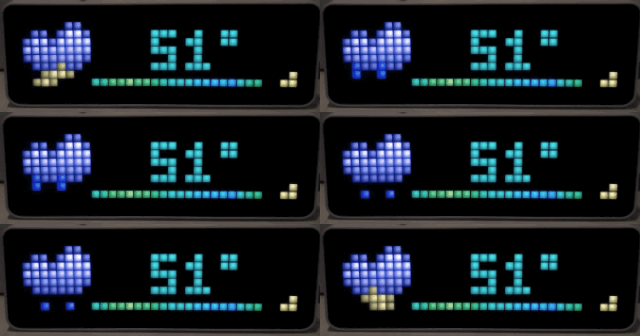
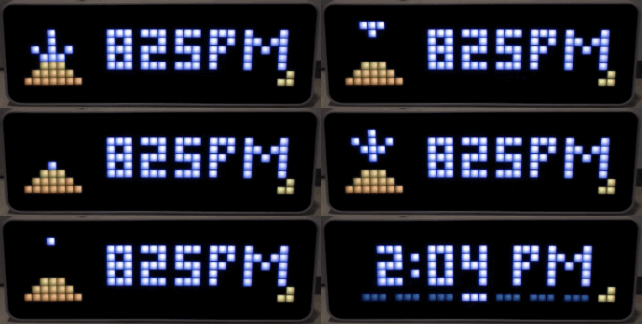
This blueprint will publish to two separate topics. jeef_weather for the weather report and jeef_weather_sun if its near sunrise/set
⚠️ REQUIREMENTS ⚠️
For this blueprint to work you MUST have a few things pre-setup.
Moon Integration 🌕️
 .------.
( I MOON )    ..
 `------'   .' /
      O    /  ;
        o i  OO
         C    `-.  Make sure you've
         |    <-'      enabled
         (  ,--.   the MOON Sensor
          V  \_)
           \  :
            `._\.
The moon integration is required. You can add it via the moon page or just by clicking here
Moon Rise/Set Sensor 🌕️ ⏲️
      M
     (X)
    // \\   Lets use a GeoLocation to find
   //   \\     out the Moon Rise / Set
  //     \\       TIMES
 //       \\
/           \
As Home Assistant doesn't currently provide moon rise/set times you will need to get this from some api. You can use the ipgeolocation API.
To do so you will need to create an account and extract your API_KEY. Additionally you need your LAT and LON.
Then you can add a REST sensor to your configuraiton.yaml file like the one here:
resource: https://api.ipgeolocation.io/astronomy?lat=<LAT>&long=<LON>&apiKey=<API_KEY>
name: ip_geo_location
scan_interval: 300
value_template: "OK"
json_attributes:
  - moonrise
  - moonset
  - moon_altitude
Icons
You can call my custom script which will prompt you for an Awtrix device and then upload the required icons:
(If you have windows I don't know if this will work)
bash -c "$(curl -fsSL https://raw.githubusercontent.com/jeeftor/HomeAssistant/master/icons/upload_icon.sh)"
This blueprint ~will~ may be updated as new features

Import to Home Assistant
Click to import this blueprint directly into your Home Assistant instance.
Configuration
Requires 35 inputs to configure
Source Code
View on GitHubDetails
Explore More
Related Blueprints
More button actions automations you might like